.jpg)
When traditional software fails, it fails visibly: an error surfaces, an alert fires. AI behaves differently in production. A model can return fluent, confident output that is wrong, drift from the behavior it shipped with, or inflate inference costs without warning. Conventional monitoring tracks infrastructure and uptime, so none of it registers until the damage reaches users.
AI observability tools close that visibility gap. They capture every prompt and response, surface where latency and cost concentrate, and detect drift and hallucinations as they happen, tracing each failure to its source.
According to Gartner's observability platforms market definition, strong observability lowers revenue loss, accelerates product cycles, and protects brand perception.
Gartner expects adoption to follow: by 2028, 40% of organizations deploying AI will run dedicated observability tools to monitor model performance, bias, and outputs.
This guide compares the 10 best AI observability tools for 2026 on features, pricing, and use cases. The table below offers a quick read, with detailed breakdowns to follow.
What are AI observability tools?
AI observability tools help teams monitor, trace, debug, and optimize AI systems, especially those powered by LLMs. Unlike traditional monitoring tools that track infrastructure health or service availability, AI observability solutions are designed to make sense of high-dimensional data: token usage, prompt-response patterns, model drift, hallucinations, and more.
The goal of these platforms is to create a clear line of sight from user inputs to model behavior, making it easier to troubleshoot issues, optimize performance, and ensure reliable, safe deployment.
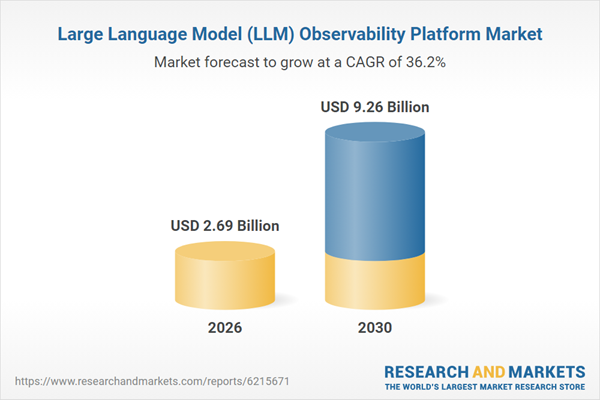
The category is growing fast. The LLM observability platform market is estimated at $2.69 billion in 2026 and projected to reach $9.26 billion by 2030, a 36.2% compound annual growth rate, according to Research and Markets.
Observability is often confused with governance, but they solve different problems. Here is how the two compare.
AI observability vs AI governance: What is the difference?
While AI observability and AI governance are often mentioned together, they serve distinct yet complementary functions in managing machine learning systems.
AI observability focuses on real-time visibility into model performance, tracing outputs, identifying anomalies, and debugging production behavior. It helps teams monitor what's happening inside AI systems, tracking metrics like latency, drift, and failure modes.
AI governance, on the other hand, ensures responsible and compliant AI usage. It includes policies, access controls, model documentation, audit trails, and adherence to regulatory standards like GDPR or SOC 2
|
Aspect |
AI Observability |
AI Governance |
|
Primary Goal |
Monitor and understand AI system behavior in real time |
Ensure responsible, compliant, and ethical AI usage |
|
Focus Area |
Operational visibility into model performance, outputs, and system health |
Policy enforcement, risk management, accountability, and regulatory alignment |
|
Scope |
Logs, metrics, traces, inference analysis, debugging |
Model documentation, data lineage, access control, compliance frameworks |
|
Users |
ML engineers, MLOps, DevOps, QA teams |
Compliance officers, legal teams, data stewards, and auditors |
|
Typical Questions Answered |
"Why did the model fail?" "What caused latency spikes?" "Where's the drift?" |
"Who accessed this model?" "Is the AI output auditable and fair?" |
|
Outputs |
Real-time dashboards, alerts, traces, metrics, root cause insights |
Audit logs, usage policies, model cards, and access reports |
|
Tool Examples |
Arize AI, LangSmith, Fiddler, Galileo, Langfuse |
OvalEdge, BigID, Collibra, IBM Knowledge Catalog |
|
Data Handling |
Collects live telemetry like embeddings, inputs/outputs, traces |
Defines how data is used, who can access it, and how it must be protected |
|
Compliance Role |
Helps surface issues that may violate standards or SLAs |
Ensures compliance with legal, privacy, and ethical standards (e.g., GDPR, SOC 2) |
|
Integration Focus |
Embedded in model serving, inference pipelines, and LLM orchestration layers |
Embedded in data management, metadata catalogs, and policy management systems |
|
Automation |
Triggers alerts, performance checks, and model evaluations |
Automates audits, role-based access, and policy enforcement |
|
Deployment Models |
Cloud, on-prem, hybrid; often tied to MLOps stack |
Cloud, VPC, or on-prem, depending on data sensitivity |
|
Feedback Loops |
Continuous debugging and optimization based on observability signals |
Continuous compliance monitoring and audit readiness |
Observability and governance are not competing choices. Observability shows you how a model behaves in production. Governance controls what it is allowed to do with data, who can access it, and whether its use holds up to an audit. Most observability tools handle the first job well and leave the second to you.
That is the gap AI Data Governance is built to close, pairing the live telemetry your observability stack produces with the policies, lineage, and access controls that keep AI compliant at scale.
With that distinction clear, here is how the ten leading tools compare at a glance.
AI observability tools compared at a glance
Here is how the ten leading tools stack up before the detailed breakdowns.
|
Tool |
Best for |
Key strength |
Open source |
Starting price |
|
Arize AI |
Enterprise ML and LLM teams monitoring at scale |
Deep ML observability roots with LLM tracing |
Partial (Phoenix) |
Phoenix free; AX from ~$50/mo |
|
LangSmith |
Teams building on LangChain or LangGraph |
Deepest debugging and tracing for the LangChain stack |
No |
Free tier; ~$39/seat/mo |
|
Langfuse |
Open-source-first teams that want to self-host |
Full tracing and eval built on OpenTelemetry |
Yes (MIT) |
Free self-host; cloud from ~$29/mo |
|
Galileo |
Teams where hallucination detection is the priority |
Evaluation-first with proprietary quality metrics |
No |
Free trial; Pro ~$100/mo |
|
Maxim AI |
Cross-functional teams simulating agents pre-launch |
Agent simulation, evaluation, and observability in one |
No |
Free dev tier; $29/seat/mo |
|
Fiddler AI |
Enterprises prioritizing governance and compliance |
Trust scoring for hallucination, PII, toxicity, and injection |
No |
Free guardrails; Custom |
|
Opik by Comet |
ML teams already using Comet |
Open-source tracing and eval with broad integrations |
Yes (Apache 2.0) |
Free OSS; cloud from ~$19/mo |
|
Braintrust |
Product teams running continuous evals in production |
Structured eval pipelines with dataset versioning |
No (self-host on enterprise) |
Free Starter; Pro $249/mo flat |
|
Datadog LLM Observability |
Teams already running Datadog |
Auto-instrumented LLM spans tied to APM and infra |
No |
Free to 40K spans; Pro from $160/mo |
|
MLflow |
Teams wanting open-source ML lifecycle plus LLM tracking |
Open standard for experiment tracking, now with GenAI tracing |
Yes (Apache 2.0) |
Free (open source) |
Each tool below is broken down in the same order, with what it does well, where it falls short, and who it fits.
Top AI observability tools for 2026
Choosing the right AI observability tool is critical for maintaining control over how models perform, evolve, and behave in production. In 2026, the ecosystem has matured with platforms specializing in everything from prompt-level tracing and token analytics to multi-agent workflow visibility.
This section breaks down the leading tools shaping AI observability, highlighting what each does well, where they fall short, and which use cases they serve best.
1. Arize AI
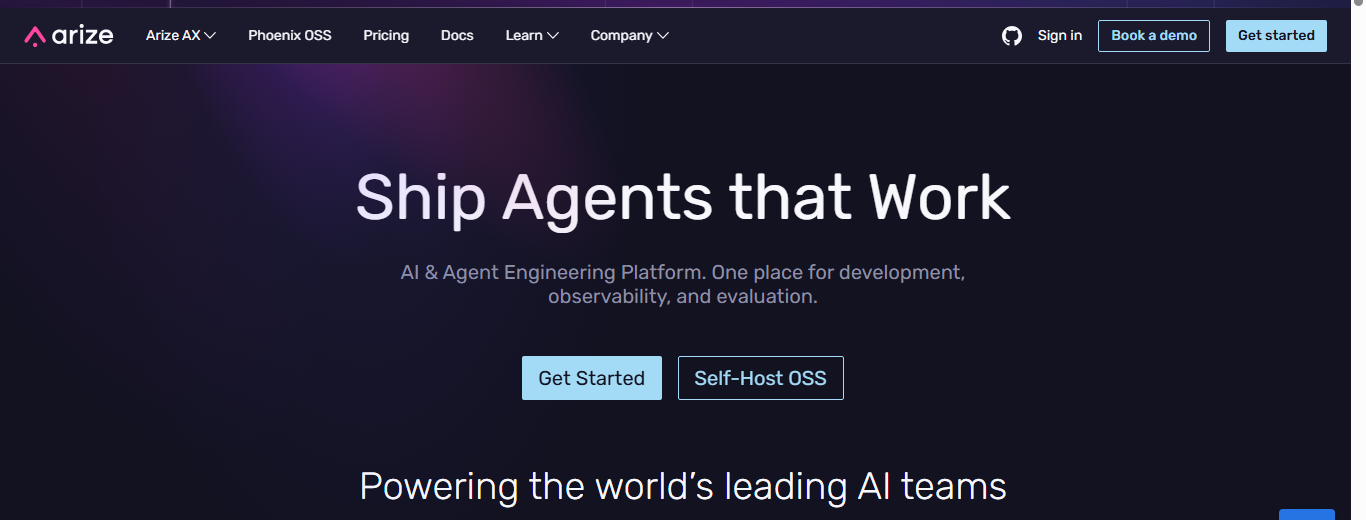
Arize AI monitors ML and LLM systems in production by analyzing inputs, outputs, embeddings, and performance signals after deployment. It is often positioned as the bridge between data science experimentation and production reliability.
Key features
-
Slice-level performance tracing: Heatmaps and filtered breakdowns show which prediction segments underperform, pinpointing failure modes instead of flagging a single global metric.
-
Embedding and anomaly clustering: AI-driven cluster search surfaces outliers and problematic data cohorts that basic monitoring never sees.
-
Drift detection across environments: Compares predictions and feature distributions across training, validation, and production to catch shifts before performance degrades.
Pros
-
Deep drift detection and root cause analysis
-
Works across both traditional ML and LLM pipelines
-
Open-source Phoenix project eases adoption
Cons
-
Learning curve without prior ML observability experience
-
Heavier than proxy tools for simple cost tracking
-
Dense UI for teams focused only on prompts
Pricing
-
Phoenix: free, open source, unlimited self-managed spans
-
AX Free: 25k spans, 1 GB/month, 7-day retention
-
AX Pro: $50/month, double the limits, 15-day retention
-
AX Enterprise: custom, SOC 2, HIPAA, SLAs, data residency
Best for
Mid to large teams needing long-term visibility into model behavior, drift, and quality trends.
Ratings
2. LangSmith
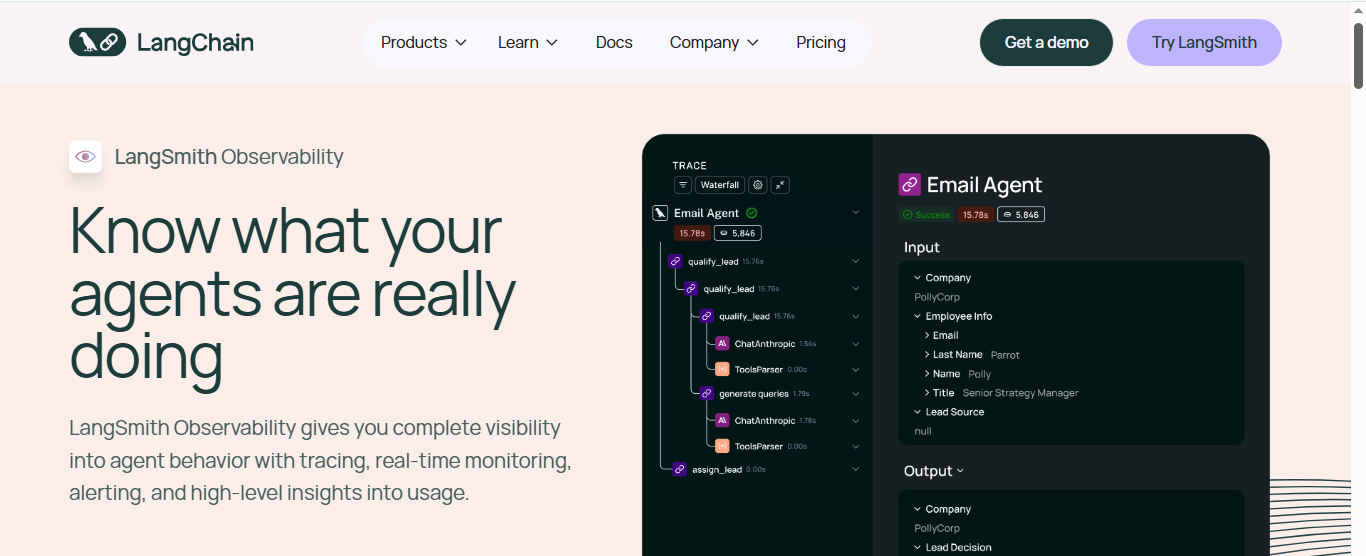
LangSmith is built for LLM workflows created with LangChain, tracing prompt execution, agent reasoning, and chained calls step by step. It is the most direct fit for teams already on the LangChain stack.
Key features
-
Chain and agent trace capture: Records every model call, tool invocation, and intermediate step as an explorable trace, built around how LangChain apps actually run.
-
Evaluation with human annotation: Combines dataset-driven offline and online evals with human annotation queues to score and improve output over time.
-
SDK observability beyond LangChain: Works with LangGraph and custom apps through an SDK, so instrumentation does not require a rewrite.
Pros
-
Deep visibility into complex chains and agents
-
Built around real developer debugging workflows
-
Low-friction setup for LangChain users
Cons
-
Limited value outside the LangChain ecosystem
-
Light on long-term drift and fairness metrics
-
Not designed for traditional ML observability
Pricing
-
Developer: free, 5k traces/month, prompt debugging, evals
-
Plus: $39/seat/month, 10k traces, unlimited agents
-
Enterprise: custom, SSO, RBAC, SLAs, dedicated support
Best for
Teams building LLM agents, RAG pipelines, or complex prompt chains that need execution-level detail.
Ratings
3. Langfuse
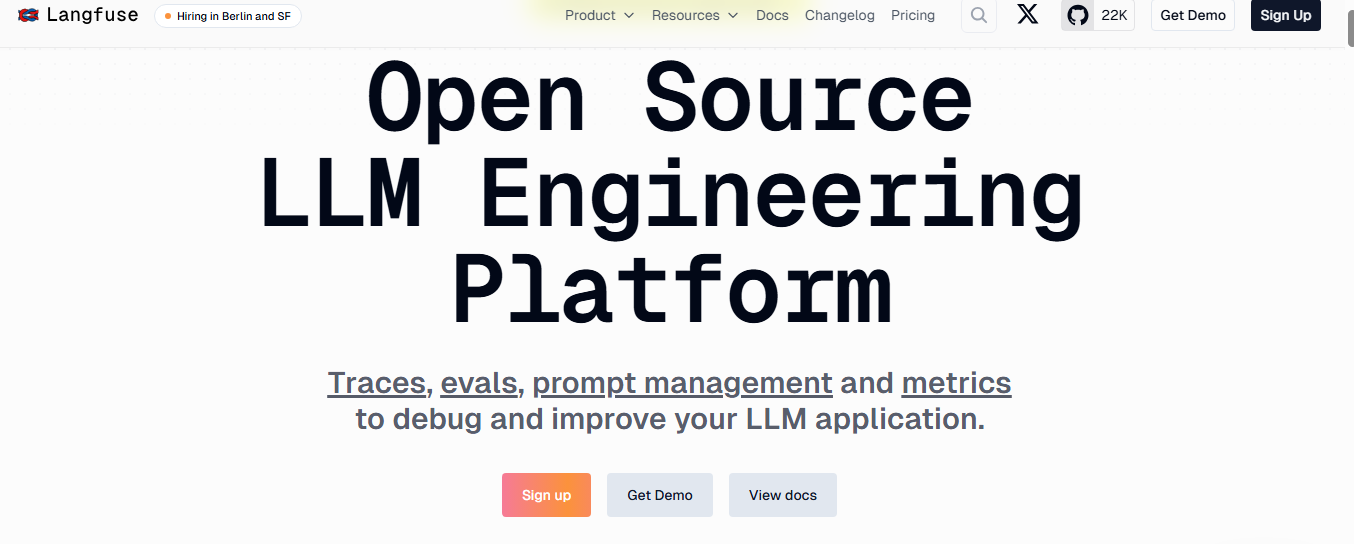
Langfuse is an open-source LLM observability platform built on OpenTelemetry, capturing traces and quality metrics across multiple providers with full self-hosting. It appeals to teams that want transparency and control over a closed vendor stack.
Key features
-
OpenTelemetry-native ingestion: Pulls spans from existing OTel instrumentation, unifying AI traces with standard telemetry rather than forcing a separate pipeline.
-
Hierarchical observation types: Models span, generations, retrievers, and embeddings are distinct, giving precise context and filtering inside each trace.
-
Self-hosted open core: Runs entirely on your own infrastructure under an MIT license, avoiding vendor lock-in.
Pros
-
Transparent, extensible architecture
-
Strong developer community
-
Works across multiple LLM providers
Cons
-
More setup and operational ownership
-
Fewer built-in governance features than enterprise governance tools
-
Limited drift and fairness analytics
Pricing
-
Hobby: free, 50k units/month, 30-day data access
-
Core: $29/month, 100k units, 90-day access, unlimited users
-
Pro: $199/month, unlimited retention, SOC 2, and ISO 27001
-
Enterprise: $2,499/month, audit logs, SLAs, dedicated support
Best for
Engineering teams that want flexible open-source observability without losing core monitoring.
Ratings
4. Galileo
Galileo is evaluation-first, built to catch bad output before it reaches users by scoring responses for hallucination, groundedness, and context adherence. That makes it a fit for RAG and agent systems where output quality is the main risk.
Key features
-
Quality scoring on live traces: Runs proprietary groundedness and context-adherence metrics on production output without adding inference latency.
-
Severity-ranked hallucination detection: Flags unsupported output through dedicated evaluation models and ranks it so teams fix the worst failures first.
-
Blocking guardrails: Stops or reroutes responses that fail thresholds before they ship, not after a user complains.
Pros
-
Strongest fit for output quality and hallucination control
-
Evaluation adds no latency to inference
-
Severity scoring speeds triage
Cons
-
Overkill for simple cost or latency tracking
-
The Eval-led approach has a learning curve
-
Commercial only, no self-host
Pricing
-
Free trial for early testing
-
Pro: from ~$100/month for production evaluation
-
Enterprise: custom, with deployment and compliance options
Confirm current figures on Galileo's pricing page before purchase.
Best for
Teams shipping RAG pipelines or agents where hallucination control outweighs lightweight logging.
Ratings
5. Maxim AI
Maxim AI targets AI agents and autonomous systems, tracking how agents reason and progress toward goals across multi-step workflows rather than treating each LLM call alone.
Key features
-
Agent decision-path tracing: Captures the full agent lifecycle, including sessions, tool calls, and context retrieval, to expose where reasoning went wrong.
-
Human review tied to evaluators: Queues agent outputs for expert review and links those judgments to automated scorers like task success and trajectory quality.
-
Pre-launch simulation: Tests agent behavior across many scenarios before production, catching failures earlier than live monitoring alone.
Pros
-
Purpose-built for agent architectures
-
Clear view of decision paths and failures
-
Debugs non-deterministic agent behavior
Cons
-
Less suited to simple prompt apps
-
Smaller ecosystem than older platforms
-
The feature set is still maturing
Pricing
-
Developer: free, 3 seats, 10k logs/month, 3-day retention
-
Professional: $29/seat/month, 100k logs, 7-day retention
-
Business: $49/seat/month, unlimited workspaces, 500k logs, 30-day retention
-
Enterprise: custom, advanced security and compliance
Best for
Teams building autonomous agents, copilots, or complex workflows that need decision-level observability.
Ratings
6. Fiddler AI
Fiddler AI is enterprise-grade, built around explainability, fairness, and compliance. It started in traditional ML monitoring and expanded into LLMs for regulated environments.
Key features
-
Explainability and root cause analysis: Exposes why a model behaved a certain way, supporting bias detection and audit-grade transparency.
-
Trust-model guardrails: Scores prompts and responses in under 100 milliseconds for hallucination, toxicity, PII, and prompt injection.
-
Unified ML and LLM governance: Monitors predictive models, LLMs, and agents on one platform with enterprise reporting built in.
Pros
-
Strong compliance and governance depth
-
Suited to regulated industries
-
Deep explainability for model decisions
Cons
-
Heavier platform footprint
-
Less developer-centric for prompt debugging
-
Slower iteration on experimental LLM work
Pricing
-
Free: real-time guardrails only, sub-100ms scoring
-
Developer: pay-as-you-go at $0.002/trace, full observability, RBAC, SSO
-
Enterprise: custom, SaaS, VPC, or on-premise with white-glove support
Best for
Finance, healthcare, and regulated sectors that require explainability and auditability.
Ratings
Rated 4.3/5 on G2, 5/5 on Capterra
7. Opik by Comet
Opik is an open-source observability and evaluation tool from Comet, pairing trace capture with built-in scoring. It fits teams already running Comet ML for experiments who want observability in the same place.
Key features
-
Comet experiment-tracking tie-in: Connects production observability to Comet's ML lifecycle tooling, giving one view across training runs and live behavior.
-
Built-in LLM-as-judge scorers: Ship hallucination, relevance, and moderation metrics so evaluation needs no second tool.
-
Low-code platform integrations: Connects to Dify, Flowise, and major frameworks, widening access beyond code-first teams.
Pros
-
Fully open source with self-host
-
Natural fit for Comet ML users
-
Wide integration coverage
Cons
-
Most valuable inside the Comet ecosystem
-
Newer than established platforms
-
Cloud pricing details shift
Pricing
-
Open source: free to self-host under Apache 2.0
-
Cloud Free: starter tier at no cost
-
Cloud paid: from ~$19/month
-
Enterprise: custom
Verify the current cloud starting price at publication, as sources differ.
Best for
ML teams already using Comet, or anyone wanting open-source observability and evaluation in one tool.
Ratings
8. Braintrust
Braintrust is built for product teams shipping AI features continuously, centered on structured eval pipelines and dataset versioning that show whether each release actually improves quality.
Key features
-
Benchmark-based eval pipelines: Runs repeatable evaluations against versioned datasets so prompt or model changes are measured against a fixed reference, not gut feel.
-
Dataset versioning: Tracks test sets over time, making score movements reproducible and easy to debug.
-
High-speed trace queries: Analyze large trace volumes fast enough that eval-heavy workflows do not slow down as data grows.
Pros
-
Best fit for continuous, eval-driven releases
-
Flat Pro pricing avoids per-seat cost growth
-
Generous free tier
Cons
-
Strongest for evaluation, less for pure monitoring
-
Closed source outside the enterprise, self-host
-
Often paired with another tool for conversational testing
Pricing
-
Starter: free, unlimited seats, 1 GB, and 10k scores/month
-
Pro: $249/month flat (not per seat), 5 GB, 50k scores, 30-day retention
-
Enterprise: custom, compliance, and deployment controls
Best for
Product teams running continuous evaluations who want dataset versioning and scoring together.
Ratings
9. Datadog LLM Observability
Datadog LLM Observability extends Datadog's platform to LLM applications, adding token, cost, and quality data to the dashboards teams already run for infrastructure and APM. Its appeal is keeping AI observability in one existing stack.
Key features
-
APM and infrastructure correlation: Ties LLM spans to application and infra metrics in a single view, so AI behavior is debugged alongside backend services.
-
Auto-instrumentation: Captures traces for OpenAI, Anthropic, Bedrock, and LangChain with little manual setup.
-
Real invoice and cost tracking: Estimates cost per request and pulls actual provider invoices through Cloud Cost Management.
Pros
-
Ideal for teams already on Datadog
-
Span-based billing scales with agent complexity
-
Evaluation included at no separate fee
Cons
-
Only cost-effective if you already run Datadog
-
Less specialized than evaluation-first tools
-
Span billing climbs at high request volumes
Pricing
-
Free: up to 40k LLM spans/month
-
Pro: $160/month, 100k spans, on-demand overage beyond
-
Enterprise: per Datadog's broader contract structure
Best for
Teams already running Datadog who want LLM data inside their existing stack.
Ratings
10. MLflow
MLflow is the open-source ML lifecycle standard, now extended into LLM observability through tracing and evaluation. It suits teams that want one open tool across both ML and GenAI work.
Key features
-
Experiment tracking and model registry: Logs parameters, metrics, and model versions across ML and LLM work in one long-established system.
-
Open GenAI tracing: Captures prompts, responses, and tool calls under Apache 2.0 with no usage limits when self-hosted.
-
Provider-agnostic evaluation: Scores output against datasets and metrics inside the same workflow, with no lock-in to a single vendor.
Pros
-
Fully open source, no usage limits, self-hosted
-
One system for ML lifecycle and LLM tracking
-
Mature ecosystem and wide adoption
Cons
-
LLM features newer than its ML tooling
-
Self-hosting carries overhead
-
Less specialized than dedicated eval platforms
Pricing
-
Open source: free under Apache 2.0, self-hosted
-
Managed: available through Databricks, priced within that platform
Best for
Teams wanting an open standard across ML tracking and LLM observability, especially on Databricks.
Ratings
Core components of AI observability platforms
AI observability platforms capture system and model signals: latency, token usage, throughput, drift, hallucinations, anomalies, and traces. Together, these keep LLM pipelines reliable and accountable.
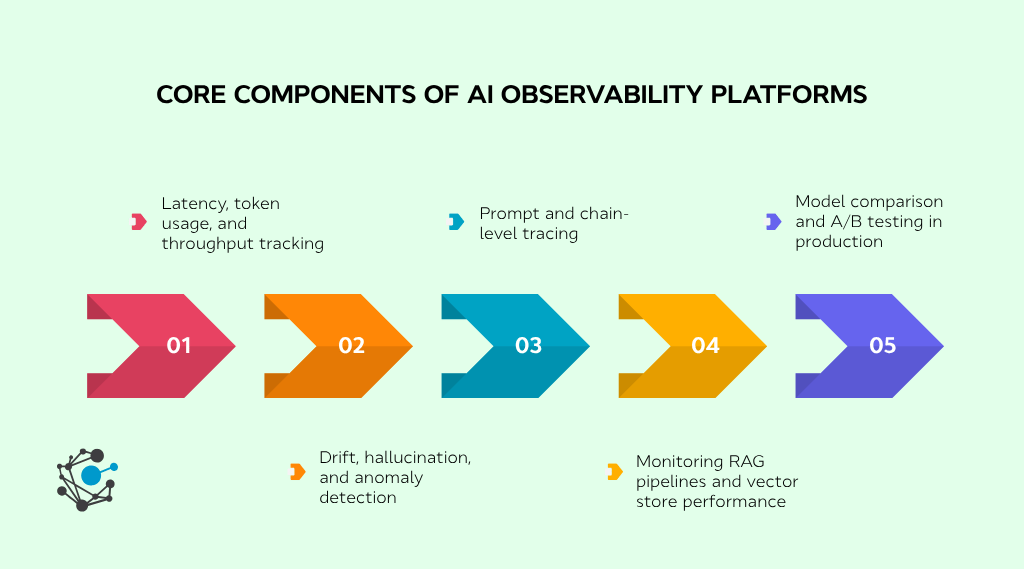
Latency, token usage, and throughput tracking
Latency tracking breaks timing down at the span level, so teams see which step adds delay, an embedding search, or a slow API call.
Token usage tracking records consumption per request and aggregates it by user, feature, or model version, exposing cost spikes from prompt changes or looping agents before they escalate.
Throughput tracking measures requests handled over time, logging concurrency and success rates to confirm the system holds at scale.
Drift, hallucination, and anomaly detection
Drift is when a model's behavior shifts over time as input data or context changes. LLM drift is usually semantic, so it is harder to catch than traditional ML drift. Tools track it with embedding distance metrics, comparing new inputs and outputs against historical baselines and flagging when they diverge from the distributions the model was optimized for. That gives teams time to retrain before degradation spreads.
A hallucination is output that reads fluently but is factually wrong or unsupported. Catching it takes semantic checks, not grammar checks: measuring output entropy to flag overconfident responses, comparing completions against known references, and routing outputs to human reviewers. In production, this enables real-time intervention and feeds a loop that improves the model against observed failures.
An anomaly is an unexpected change in model output, system metrics, or user behavior. These can be subtle, like a latency spike on one prompt or a surge in failures across endpoints. Instead of static thresholds, tools use statistical and time-series methods to detect them dynamically. Tied to logs, traces, and structured metadata, an anomaly points to its root cause, whether a new deployment, an upstream data change, or a poorly structured prompt.
Prompt and chain-level tracing
Prompt-level tracing captures a single prompt's input, response, tool calls, and metadata like latency and tokens. It shows the execution path but needs evaluation alongside it to confirm quality.
According to a 2025 McKinsey Global AI survey, 51% of organizations using AI have experienced at least one negative consequence from AI use, and nearly a third trace a consequence specifically to inaccuracy, the exact failure mode granular tracing is built to catch.
Chain-level tracing captures full execution logs, so teams can replay faulty sessions, see where agent decisions break down, and trace dependencies across retrievers or memory buffers.
Monitoring RAG pipelines and vector store performance
In RAG systems, performance depends on retrieval quality as much as on model output. Tools monitor query latency, retrieval precision, and vector store behavior end-to-end.
Misconfigured thresholds or slow queries inject irrelevant context and cause hallucinations, so retrieval metrics should be paired with structured evaluation to identify the bottleneck.
Model comparison and A/B testing in production
Choosing a model version is ongoing. Observability tools support native A/B testing, comparing user feedback, latency, success rates, cost per call, and failure rate under real workload to pick the best version and cut the risk of each update.
Together, these components turn raw model activity into signals a team can act on. The tools in this guide differ mainly in how deeply they cover each.
What goes wrong without observability?
When AI systems lack observability, issues often stay hidden until they escalate, damaging user trust, inflating costs, or breaking compliance.
Without visibility into model decisions, teams struggle to detect drift, debug hallucinations, or respond to performance degradation in real time. Silent failures in production, like retrieval mismatches or pipeline bottlenecks, can go unnoticed until it's too late.
Here's what typically breaks:
-
Undetected model drift: Shifts in data or input patterns reduce accuracy, but without monitoring, there's no trigger for retraining or investigation.
-
Debugging blind spots: Teams lack traceability into how and why a model reached a decision, which lengthens mean time to resolution when issues arise.
-
Compliance risks: Without audit logs or data lineage, regulatory reporting suffers, especially when handling sensitive or governed data. This is where enterprise AI model governance software works alongside observability, adding the lineage and audit trail that monitoring alone doesn't provide.
Observability closes these gaps with real-time telemetry, trace-level insight, and feedback loops that a team can act on.
How to evaluate AI observability tools
Selecting the right tool takes more than a feature checklist. What matters is how well a platform fits your tech stack, governance needs, and scale.
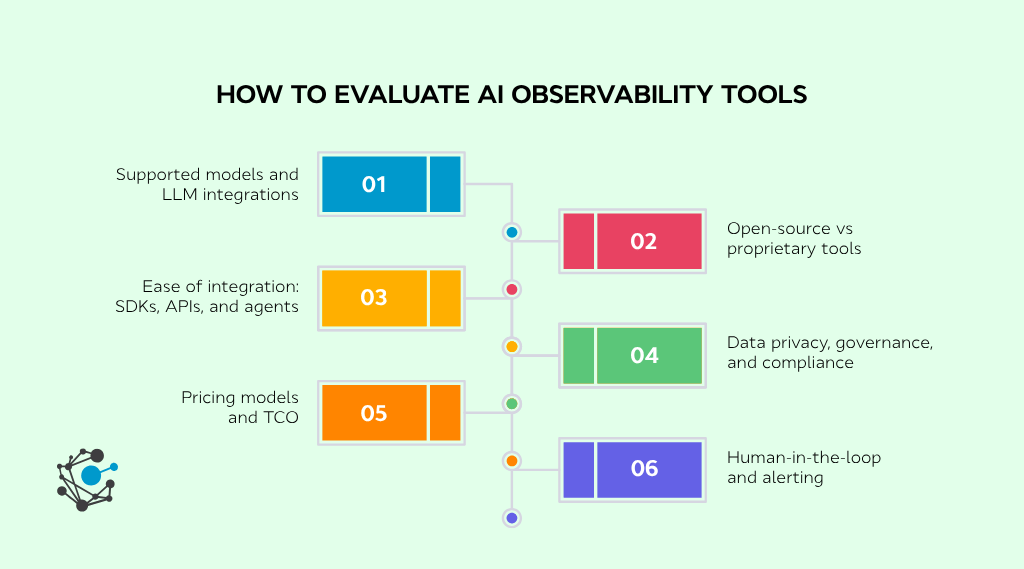
Weigh these dimensions:
-
Supported models and integrations: It should integrate cleanly with the providers you use- OpenAI, Anthropic, Mistral, Cohere, or Hugging Face, and offer SDKs for frameworks like LangChain or LlamaIndex. Confirm it logs intermediate steps and metadata, not just final output.
-
Open-source vs proprietary: Open-source tools like Langfuse need engineering bandwidth to run. Proprietary platforms like Arize or Fiddler ship enterprise features out of the box but carry lock-in. Weigh flexibility against the cost of maintaining it yourself.
-
Ease of integration: Look for robust SDKs, REST APIs, and passive logging that won't disrupt production traffic. Support for OpenTelemetry or structured logs makes standardization easier.
-
Privacy, governance, and compliance: Check for SOC 2, ISO 27001, and GDPR support, plus encryption, redaction, and audit logs. This is the dimension that most observability tools handle the thinnest, so it is usually where a dedicated governance layer comes in. OvalEdge pairs with observability through agentic data governance and data access governance tools that classify sensitive data, enforce access policies, and keep AI pipelines audit-ready.
-
Pricing and total cost of ownership: Token and trace-based pricing can spike under heavy load, so estimate volume at production scale and factor in integration and maintenance, not just the tier. Compare that against gains in uptime, accuracy, and debugging speed.
-
Human-in-the-loop and alerting: Look for alert routing on drift, latency, and hallucinations, annotation interfaces for review, and escalation paths to the right team.
Conclusion
As AI moves deeper into production, observability is what keeps models reliable, cost-controlled, and trustworthy. The best tool is the one that fits your stack and surfaces drift, cost, and failures without adding overhead. For most teams, that means starting with one production pipeline and expanding as you scale.
But observability is only half the picture. It tells you how your models behave; it does not control what they are allowed to do with data. That gap is governance, and it is where AI systems pass or fail an audit.
OvalEdge closes it, pairing the telemetry your observability stack produces with the policies, access controls, and lineage that keep AI compliant at scale.

Book a demo with OvalEdge to see it work.
FAQs
1. What’s the difference between AI observability and traditional monitoring?
Traditional monitoring tracks system health like uptime, memory, and server latency. AI observability tracks model-specific signals: drift, hallucinations, prompt performance, and token-level latency, tracing prompt chains and agent decisions at a level traditional tools cannot reach.
2. How do AI observability tools help monitor AI pipelines in production?
They capture execution traces across the pipeline, including prompt logs, RAG retrieval quality, and agent decision paths. This lets teams find bottlenecks, debug failures, and monitor throughput and token cost while operating AI at scale.
3. What metrics should be tracked for effective AI observability?
The core metrics are:
-
Latency (end-to-end, token-level, and external API)
-
Token usage (input and output, per feature or user)
-
Throughput (inference volume and concurrency)
-
Drift (semantic shifts over time)
-
Hallucinations (incorrect or misleading output)
-
Anomalies (error or failure spikes)
4. Are there open-source AI observability tools available?
Yes. Langfuse offers prompt and chain-level tracing, token monitoring, and latency tracking with self-hosted or cloud deployment. Arize also offers Phoenix, an open-source edition supporting span tracing and drift detection.
5. What are examples of AI observability use cases?
Common use cases include:
-
Debugging hallucinations in chatbots
-
Monitoring agent workflows in autonomous systems
-
Detecting retrieval failures in RAG pipelines
-
Catching token cost spikes from poor prompts
-
A/B testing LLMs or prompt versions in production
6. Why is observability important for AI systems?
AI systems can drift, hallucinate, or degrade silently after deployment. Observability catches these early by detecting semantic drift, abnormal output, and performance regressions, helping teams maintain trust, control cost, and prevent unsafe behavior in production.
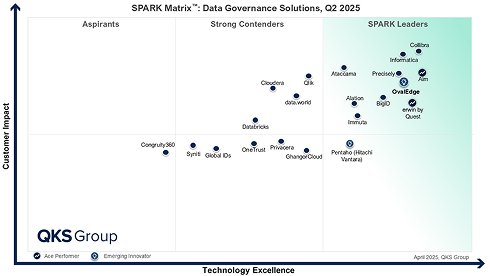
.png?width=1081&height=173&name=Forrester%201%20(1).png)
.png?width=1081&height=241&name=KC%20-%20Logo%201%20(1).png)